Free
$0
2 crossposts
Per calendar month, resetting on the first day in UTC.
 xposter
Crossposting from your iPhone
One original video, ready for your different audiences. Prepare your post in XPOSTER, choose your platforms, and confirm. The publishing service takes care of sending it to each connected account.
Developer preview · not yet on the App Store
From draft to published
Choose your original video from your iPhone. Preview it in its own proportions, add a title and captions, and save your draft for later. Edits are saved as you go.
Choose your destinations. Share a caption or tailor it for each audience, check visibility and posting options, then confirm your crosspost.
Activity shows each destination’s progress. If one platform fails, retry that destination without posting again to the ones that already succeeded.
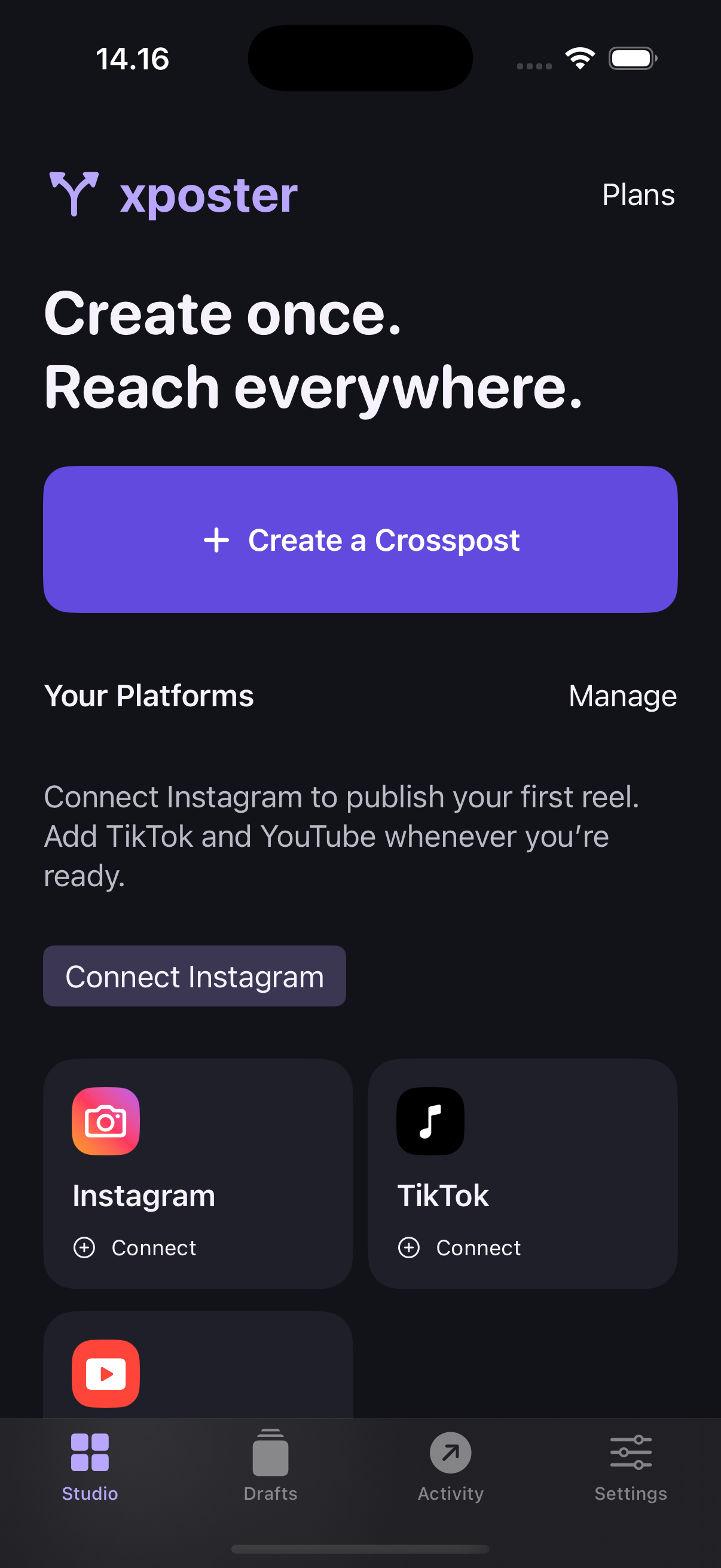
Connect accounts through the platforms’ own authorization screens. Instagram publishing requires a Business or Creator account. Access also depends on platform approval, account eligibility and available permissions.
Your settings, remembered
Save your usual destination platforms in Settings. For YouTube, choose a default of private, unlisted or public, along with audience and AI disclosure settings. Existing drafts keep their own choices.
Save preferences for comments, Duet and Stitch, then explicitly apply them when preparing a post. Choose visibility for each video from the options your TikTok account permits, and confirm the required music and content declarations before publishing.
Studio brings you back to your latest draft and activity. Drafts keep unfinished posts together, while Activity tracks the result for each platform. The app supports light and dark appearances and larger text.
Built for publishing
When every selected destination confirms success, XPOSTER automatically deletes the uploaded server original. The app removes its matching working copy when it next synchronizes.
If a destination fails or the result is uncertain, the server original stays available for up to seven days from upload so you can retry. Unsubmitted server uploads are removed after 24 hours. Your original in Photos and your published posts stay where they are.
Publishing history is kept separately. Read how cleanup and retention work.
Plans & usage
One video submitted to any number of selected platforms counts as one crosspost. Retrying a destination within that post is included.
$0
2 crossposts
Per calendar month, resetting on the first day in UTC.
$5 USD / month
8 crossposts
Per Apple monthly billing period. Unused posts don’t roll over.
Planned · purchases unavailable
$10 USD / month
Unlimited crossposts
No monthly post-count ceiling. Platform and service limits still apply.
Planned · purchases unavailable
Paid plans will be purchased, restored and managed through Apple in the app. These are intended US base prices; Apple will show the actual price in your local currency before purchase. Subscriptions renew automatically unless cancelled. Paid plans replace the free allowance. Read the full plan terms.
You choose the accounts, content and posting settings, then confirm in the app. The server handles the upload and publishing work after submission. XPOSTER currently focuses on publishing now; scheduled posting is not included.
You can retry the affected destination from Activity while its original is still available. Successful destinations are not posted again. If a platform may already have accepted the upload, XPOSTER checks or resumes it where possible; some uncertain outcomes need a manual check on that platform. A retry does not extend the seven-day file retention window.
One post is reserved when the server accepts your publishing job, even if a platform later fails. Retries within that job don’t use another post. A rejected submission uses none; submitting a new job counts again.
Import an original MP4 or MOV up to 500 MB and review the requirements shown in the app. For YouTube Shorts, XPOSTER accepts square or vertical videos up to three minutes. TikTok options and duration depend on the connected account. Each platform ultimately controls processing, visibility and publication.
Drafts, imported working copies and saved platform defaults stay on the iPhone where you created them. When Apple subscriptions are enabled, your verified App Store identity links purchases and usage across installations; it does not provide cloud draft storage.
XPOSTER is an independent app by Rewrite in Denmark. We’re starting with Instagram Reels, TikTok and YouTube Shorts, with more platforms planned. XPOSTER is not affiliated with or endorsed by those platforms.
The app is in development. Live integrations and paid subscriptions depend on the relevant setup and approvals. Questions or interested in testing? Contact us.